Page 1 of 1
Bring modal form to the top
Posted: Sun Feb 08, 2026 12:28 pm
by mol
Hi!
I'm using modela forms, called one from another.
Sometimes last called form is hidden under previous.
Is it the way to bring last to be topmost?
Re: Bring modal form to the top
Posted: Mon Feb 09, 2026 7:52 am
by serge_girard
I have had the same problems and therefore I don't use modal anymore...
Perhaps there is some bug in it?
Or some tricky coding behind it to get it well...? Claudio?
Serge
Re: Bring modal form to the top
Posted: Tue Feb 10, 2026 9:12 pm
by AUGE_OHR
hi,
i have never used a Modal Window but you can try "FindWindowA" an bring it ToFront
Code: Select all
Function toFront()
LOCAL cTitle  := "my Window Title"
LOCAL hWndDlg := DllCall( "User32.dll", DLL_STDCALL, "FindWindowA", 0, cTitle )
   IF !( hWndDlg == 0 )
      DllCall( "User32.dll", DLL_STDCALL, "SetForegroundWindow", hWndDlg )
      DllCall( "User32.dll", DLL_STDCALL, "BringWindowToTop", hWndDlg )
      DllCall( "User32.dll", DLL_STDCALL, "ShowWindow", hWndDlg, 1 )
      DllCall( "User32.dll", DLL_STDCALL, "UpdateWindow", hWndDlg )
   ENDIF
RETURN
Re: Bring modal form to the top
Posted: Wed Feb 11, 2026 12:19 pm
by mol
Thank you!
Why not modal? I think it's better than child or standard
PS.
I found another solution... but it sauses some problems while switching to another apps:
Code: Select all
SetWindowPos( MyForm.HANDLE, -1 , 0, 0, 0, 0, hb_bitOR( SWP_NOMOVE, SWP_NOSIZE ) )
Re: Bring modal form to the top
Posted: Wed Feb 11, 2026 4:53 pm
by franco
I use modal. I like it because it makes users in a network environment to finish what they doing before going somewhere else.
In my programs I make my starting program windows larger then any functions happening from these windows. This way a person can
see that there is a window before the window they are working in and can move the window see a window under it.
I would be nice at times like when in an invoice for a customer and wanting to know what what I sold an item to him before.
When in this situation I can start a new main program and go look then exit and come back to first program. I try to educate my users
to finish what they are doing before leaving the computer with locked files so nobody else can use them.
Re: Bring modal form to the top
Posted: Mon Feb 16, 2026 7:27 pm
by mol
Manipulating forms causes some problems in my app.
When I bring my form to the top, after switching to another application, my form is not covered by it. It's stressful when I center my app window, and try to print something from another - printing window is undelayed and unusable...
Re: Bring modal form to the top
Posted: Mon Feb 16, 2026 7:31 pm
by mol
I have another question
Did someone find a way to calorize TAB control? I'm using tab control, but I have an idea to use different back color for different pages..
Is it possible?
Re: Bring modal form to the top
Posted: Mon Feb 16, 2026 9:49 pm
by AUGE_OHR
hi,
mol wrote: ↑Mon Feb 16, 2026 7:31 pm
Did someone find a way to calorize TAB control? I'm using tab control, but I have an idea to use different back color for different pages..
Is it possible?
YES, you need Ownerdraw (not sure how to do it in HMG) !
i made in XBase++ and Fivewin for "Dark Mode"
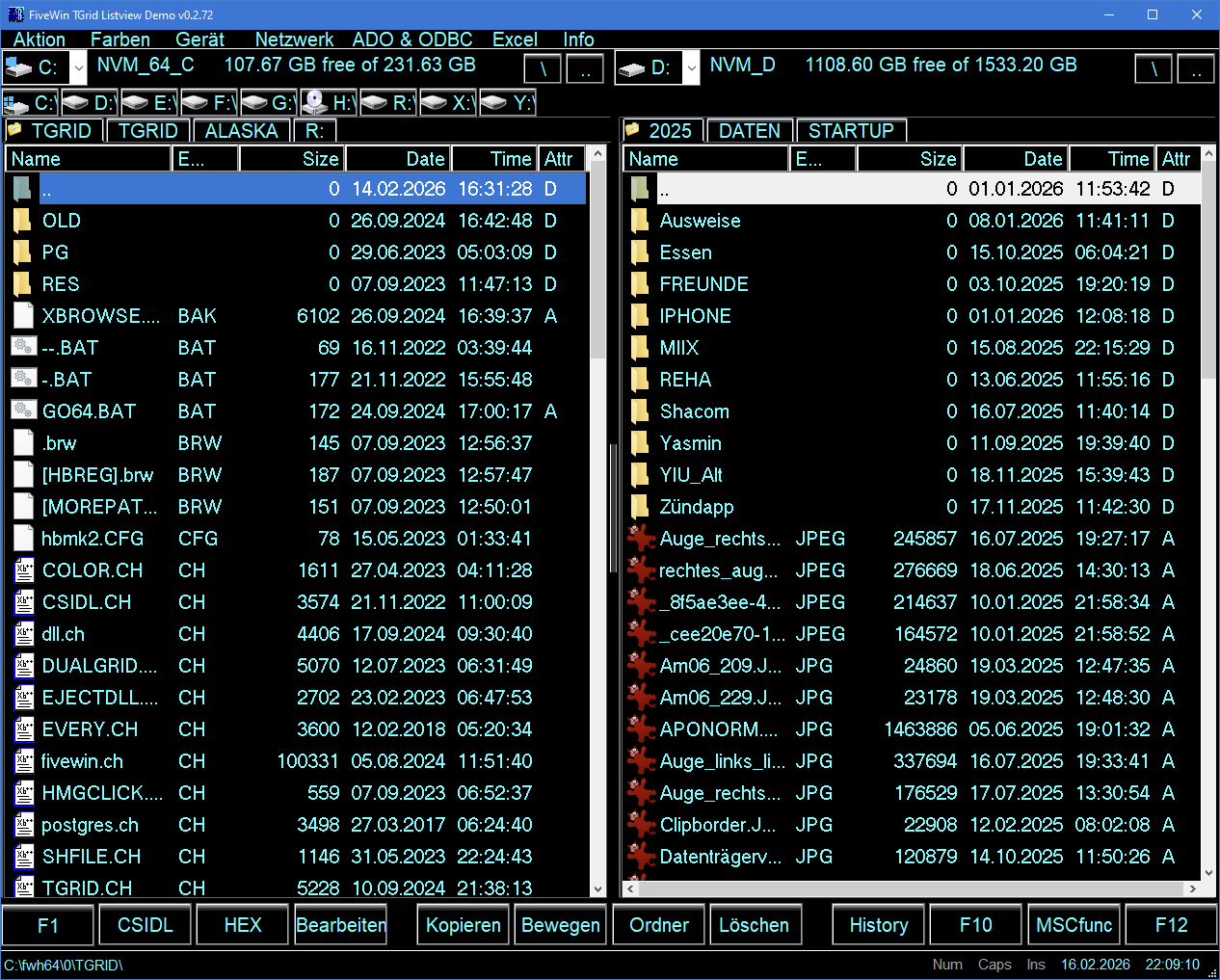
and use Icon for "active" TAB (which can also done under HMG )
here CODE, to change "active" TAB Icon, for HMG
Code: Select all
PROCEDURE Tab_Change_Icon( cParentForm, cControlName, nNo )
LOCAL nControlHandle
LOCAL xTab, nTab, Images, i, NoTrans := .F.
LOCAL aImages        := {}

   xTab := GetProperty( cParentForm, cControlName, "Value" )
   IF VALTYPE( xTab ) = "A"
      nTab := xTab[ 1 ]
   ELSE
      nTab := xTab
   ENDIF

   IF nNo = 2 // right side
      nDimRight := LEN( Stack_Right )
      FOR i := 1 TO nDimRight
         IF i = nTab
            AADD( aImages, "GRUENPUNKT" )
         ELSE
            AADD( aImages, "MYFIXDRIVE16" )
         ENDIF
      NEXT
   ELSE
      nDimLeft := LEN( Stack_Left )
      FOR i := 1 TO nDimLeft
         IF i = nTab
            AADD( aImages, "GRUENPUNKT" )
         ELSE
            AADD( aImages, "MYFIXDRIVE16" )
         ENDIF
      NEXT
   ENDIF

   nControlHandle := GetControlHandle( cControlName, cParentForm )
   // not sure need to Destroy "old" Imagelist before
   IMAGELIST_DESTROY( nControlHandle )
   // will create own Imagelist and set TCM_SETIMAGELIST
   ADDTABBITMAP( nControlHandle, aImages, NoTrans ) // found in \SOURCE\h_tab.prg

RETURN
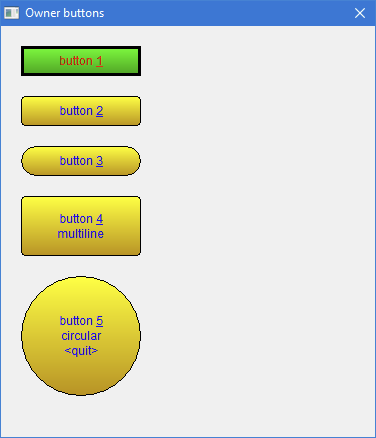
p.s. as i remember right there is a Class to Ownerdraw Button under HMG.
Re: Bring modal form to the top
Posted: Mon Feb 16, 2026 9:53 pm
by mol
thank you, I'll try!
Re: Bring modal form to the top
Posted: Tue Feb 17, 2026 6:31 pm
by franco
I can open 1,2,or3 of the same exe. I have the program on the start menu at bottom of screen. When I point on the program on the start
menu all programs show up. I just pick the started program I want to use. One program may be in customer file, one in inventory,
one in invoicing. Maybe this does not work for you. As I stated before I do not recommend this in a network because you could be locking
someone out of a file you have just sitting there.