Page 1 of 1
TLS > v1.1
Posted: Wed May 25, 2022 8:01 pm
by AUGE_OHR
hi,,
i got a Message from WEB.DE that TLS v1.0 and v1.1 will be disable
i have to work with TLS v1.2 or v1.3 but "where" do i get TLS > v1.1

Re: TLS > v1.1
Posted: Wed May 25, 2022 9:56 pm
by danielmaximiliano
Jimmy : TlS 1.0 and 1.1 are currently insecure as web browsers are already obsolete and show that a page is insecure,
The TLS 1.2 version has been published in 2008. The main differences compared to its previous version are to improve the encryption algorithms, changing the MD5-SHA-1 methods for SHA-256.
I don't quite understand what you need or want to do
Re: TLS > v1.1
Posted: Wed May 25, 2022 10:20 pm
by AUGE_OHR
hi,
danielmaximiliano wrote: ↑Wed May 25, 2022 9:56 pm
I don't quite understand what you need or want to do
i do use SSL with ssleay32.dll and libeay32.dll both are v1.0
so where do i get newer Version v1.2 of ssleay32.dll / libeay32.dll

Re: TLS > v1.1
Posted: Wed May 25, 2022 11:59 pm
by danielmaximiliano
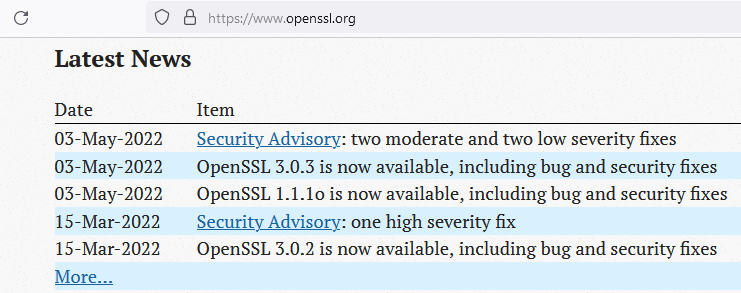
Try
https://slproweb.com/products/Win32OpenSSL.html
Note :
- 2022-05-25 20_57_42-_index.html.png (40.17 KiB) Viewed 2164 times
Re: TLS > v1.1
Posted: Thu May 26, 2022 12:54 am
by AUGE_OHR
hi,
not sure if it is for harbour HMG as i also need LIB
Code: Select all
libs=hbssl
libs=libeay32
libs=ssleay32
Re: TLS > v1.1
Posted: Fri May 27, 2022 4:32 am
by AUGE_OHR
hi,
there seems to be a TIP in FiveWin Forum
http://forums.fivetechsupport.com/viewt ... 88#p196088
Description is for BCC but i "think" we also can use it for MinGW as LIB.A seems include
than we need hbSSL Contribution which is in harbour-master
hope it work with HMG
Re: TLS > v1.1
Posted: Sat May 28, 2022 1:05 am
by danielmaximiliano
download openssl and install to c:\openssl
inside the contrib\hbssl folder create file: compile.bat and run.
I had already solved the batch but I found an old version of it and I don't remember what the problem was that a dependency is missing..
I'm going to see with tests to generate the new version of openssl
batch file:
Code: Select all
@echo off
set backup=%Path%
SET HB_STATIC_OPENSSL=yes
set HB_WITH_OPENSSL=C:\OpenSSL\include\openssl
set backup=%Path%
set path=%path%;C:\OpenSSL\bin;c:\hmg.3.5
call Build.bat hbssl.hbp %2 %3 %4
set path=%backup%
pause