Hi Everybody,
These are my first letters into HMG Forum. I hope that I shall benefit from this gathering and also share my experiences and knowledge to all. I am an OLD Clipper 5.2 programmer. I have some programs/applications which I encoded long back in the 90's which I use for my personal use. Actually, I have no problem but When I saw that I can convert them to windows environment without introducing major changes I thought I should go ahead with this project. So, as a beginner in the phase I shall need great help from all.
Through my reading, I learnt that HMG 3.0.39 is most appropriate for my case, so I downloaded it. I tried to move to the next step by running it to convert my mainmenu.prg, but I got this message :
D:\MCS-Programs\HICS>hbmk2 accpmenu.prg
hbmk2: Could not detect any supported C compiler in your PATH.
Setup one or set -compiler= option to one of these values: mingw, msvc,
bcc, watcom, icc, pocc, xcc, mingw64, msvc64, msvcia64, iccia64, pocc64
D:\MCS-Programs\HICS>set lib=c:\hmg.3.0.39\harbour\lib
D:\MCS-Programs\HICS>set include=c:\hmg.3.0.39\harbour\include
D:\MCS-Programs\HICS>hbmk2 accpmenu.prg -oACCC -hbexe
hbmk2: Could not detect any supported C compiler in your PATH.
Setup one or set -compiler= option to one of these values: mingw, msvc,
bcc, watcom, icc, pocc, xcc, mingw64, msvc64, msvcia64, iccia64, pocc64
I stopped here, and I need you help.
A new member from Saudi Arabia
Moderator: Rathinagiri
-
Leopoldo Blancas
- Posts: 388
- Joined: Wed Nov 21, 2012 7:14 pm
- Location: México
Re: A new member from Saudi Arabia
My dear Kahlani, I recommend you see the examples are in the Samples folder, since there are many examples of all controls that have HMG and is varied, reviewing sample think more clearly and then notice if doubts remain I recommend you send us a short example demonstration so that it can help as soon as possible ..... (archivo.prg), and told him that since this version HMG.3.1.1
regards
Polo
*------------------------------------------------------------------------------------------------------------------------------
Mi estimado Kahlani, le recomiendo que vea los ejemplos que estan en la carpeta de Samples, ya que ahí vienen muchos ejemplos de todos los controles que tiene HMG y es muy variado, creo que revisando los ejemplos notara mayor claridad y después si persisten las dudas le recomiendo que nos mande un ejemplo corto demostrativo para poderlo ayudar lo más pronto posible..... (archivo.prg), y le comento que ya esta la versión HMG.3.1.1
Saludos
Polo
regards
Polo
*------------------------------------------------------------------------------------------------------------------------------
Mi estimado Kahlani, le recomiendo que vea los ejemplos que estan en la carpeta de Samples, ya que ahí vienen muchos ejemplos de todos los controles que tiene HMG y es muy variado, creo que revisando los ejemplos notara mayor claridad y después si persisten las dudas le recomiendo que nos mande un ejemplo corto demostrativo para poderlo ayudar lo más pronto posible..... (archivo.prg), y le comento que ya esta la versión HMG.3.1.1
Saludos
Polo
-
danielmaximiliano

- Posts: 2763
- Joined: Fri Apr 09, 2010 4:53 pm
- DBs Used: DBF
- Location: Argentina
- Contact:
Re: A new member from Saudi Arabia
Hello
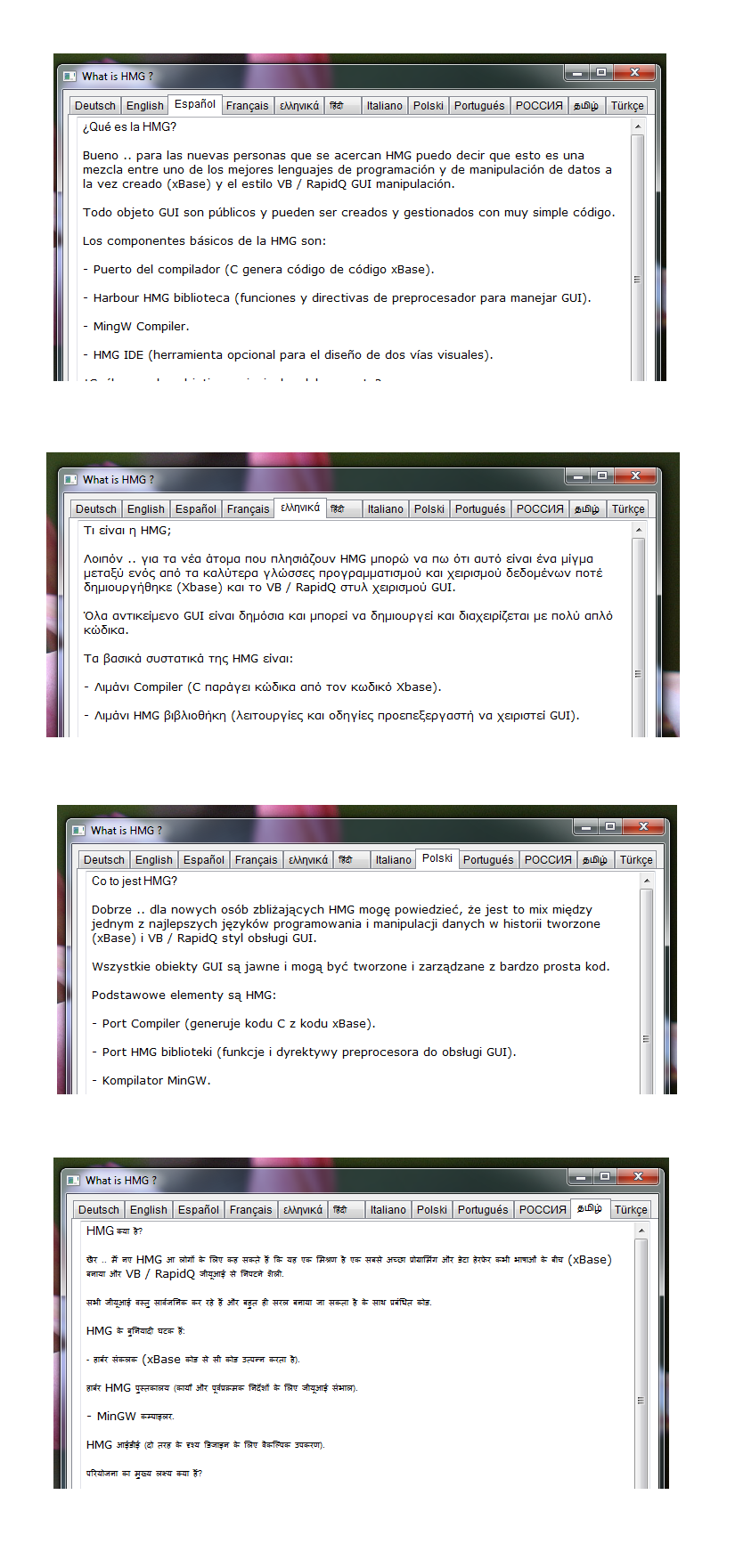
The latest version of HMG is HMG.3.1.1 it has support for UNICODE, it is only necessary to enable UTF8 in your favorite text editor. all these special characters that you type in the editor will be displayed as it is.
I suggest experimenting with the example of our friend / colleague Esgici
call: WhatIsHMG.zip who is here
http://hmgforum.com/viewtopic.php?f=2&t ... e&start=40
Now you are using HBMK2 from the command line, I suggest you copy Build.bat found within each instance to the folder where your project.
only need to modify this line Build.bat containing
and replace with this new line.
and that way you can just from the Windows command line type
or
but from Windows Explorer drag and drop your project or master file (Miproject.prg) on Build.bat and this more easily compile without invoking the Windows CMD.
You remember that the main file must contain the header
before compiling.
Welcome to HMG
From Buenos Aires, Argentina
The latest version of HMG is HMG.3.1.1 it has support for UNICODE, it is only necessary to enable UTF8 in your favorite text editor. all these special characters that you type in the editor will be displayed as it is.
I suggest experimenting with the example of our friend / colleague Esgici
call: WhatIsHMG.zip who is here
http://hmgforum.com/viewtopic.php?f=2&t ... e&start=40
Now you are using HBMK2 from the command line, I suggest you copy Build.bat found within each instance to the folder where your project.
only need to modify this line Build.bat containing
Code: Select all
call ..\..\build.bat %*
Code: Select all
call c:\hmg.3.1.1\build.bat %*Code: Select all
D:\MCS-Programs\HICS>Build MiProyect.hbpCode: Select all
D:\MCS-Programs\HICS>Build Miproject.prgYou remember that the main file must contain the header
before compiling.
Code: Select all
#include "hmg.ch"

Function Main
...
you code
...
ReturnFrom Buenos Aires, Argentina
*´¨)
¸.·´¸.·*´¨) ¸.·*¨)
(¸.·´. (¸.·` *
.·`. Harbour/HMG : It's magic !
(¸.·``··*
Saludos / Regards
DaNiElMaXiMiLiAnO
Whatsapp. := +54901169026142
Telegram Name := DaNiElMaXiMiLiAnO
Telegram invitation https://t.me/HMGWorkspace
¸.·´¸.·*´¨) ¸.·*¨)
(¸.·´. (¸.·` *
.·`. Harbour/HMG : It's magic !
(¸.·``··*
Saludos / Regards
DaNiElMaXiMiLiAnO
Whatsapp. := +54901169026142
Telegram Name := DaNiElMaXiMiLiAnO
Telegram invitation https://t.me/HMGWorkspace
-
klauskugel
- Posts: 90
- Joined: Tue Oct 09, 2012 2:28 pm
Re: A new member from Saudi Arabia
Hi Kahlani,
Simply type c:\hmg.3.0.39\build.bat
to arrange the environment.
And then
hbmk2 accpmenu.prg
So you have the Harbour / Clipper Functionality
that you know from Clipper 5.2.
If all commands are known, no errors are found
an the externals are resolved, you'll find your Executable.
But HMG is much more.
HMG is build around Harbour and gives you the Windows-Look-and-Feel
by Windows-SDK functions via it's GUI which was developed by Roberto Lopez.
The simple thing is, Harbour creates C-Source from Clipper-Source and
the Mingw-C-Compiler generates from this C-Source the Executable by
creating .O (bj-Files ) and linking the needed Harbour and C-library Functions.
The best thing is, you test the HMG-Samples by > build demo < from Command-Line
or from the IDE and look what happens.
If you're somewhat familiar to Visual Basic or such, you won't find
it difficult.
Have fun.
// Regards klauskugel - Germany
Simply type c:\hmg.3.0.39\build.bat
to arrange the environment.
And then
hbmk2 accpmenu.prg
So you have the Harbour / Clipper Functionality
that you know from Clipper 5.2.
If all commands are known, no errors are found
an the externals are resolved, you'll find your Executable.
But HMG is much more.
HMG is build around Harbour and gives you the Windows-Look-and-Feel
by Windows-SDK functions via it's GUI which was developed by Roberto Lopez.
The simple thing is, Harbour creates C-Source from Clipper-Source and
the Mingw-C-Compiler generates from this C-Source the Executable by
creating .O (bj-Files ) and linking the needed Harbour and C-library Functions.
The best thing is, you test the HMG-Samples by > build demo < from Command-Line
or from the IDE and look what happens.
If you're somewhat familiar to Visual Basic or such, you won't find
it difficult.
Have fun.
// Regards klauskugel - Germany
-
esgici

- Posts: 4543
- Joined: Wed Jul 30, 2008 9:17 pm
- DBs Used: DBF
- Location: iskenderun / Turkiye
- Contact:
Re: A new member from Saudi Arabia
Hi Kahlani
You are welcome to wonderful world of HGM
Salute from Turkiye to Saudi Arabia
Before all, if you have HMG, you don't need use any batch script; HMG-IDE is a wonderful tool to build both console and GUI applications with an embedded form editor
Simply build a project (.hbp file), define your main .prg file into it and click "run" button, that's all.
If your project is a console-only application, add this line to top of your main.prg,
REQUEST HB_GT_WIN_DEFAULT
and don't #include <hmg.ch>.
If you prefer working without HMG-IDE, insist classical ways such as using .bat files, no problem; with HMG this way too is quite easy :
In your sample :
D:\MCS-Programs\HICS>hbmk2 accpmenu.prg
it's obscure, where from you are calling hbmk2.exe ?
Probably you are copied it to your working folder. If so, that error message is an expected situation.
Instead, if you call it from original place :
D:\MCS-Programs\HICS>c:\hmg.3.0.39\HARBOUR\bin\hbmk2 accpmenu.prg
your problem will go away.
There is many other ways / methods for building applications.
You could find further info in my humble blog :
Building console application
Building a HMG application
Please don't hesitate to ask anything about Clipper / Harbour / HMG; here you are between friends.
Happy HMG'ing
You are welcome to wonderful world of HGM
Salute from Turkiye to Saudi Arabia
Before all, if you have HMG, you don't need use any batch script; HMG-IDE is a wonderful tool to build both console and GUI applications with an embedded form editor
Simply build a project (.hbp file), define your main .prg file into it and click "run" button, that's all.
If your project is a console-only application, add this line to top of your main.prg,
REQUEST HB_GT_WIN_DEFAULT
and don't #include <hmg.ch>.
If you prefer working without HMG-IDE, insist classical ways such as using .bat files, no problem; with HMG this way too is quite easy :
In your sample :
D:\MCS-Programs\HICS>hbmk2 accpmenu.prg
it's obscure, where from you are calling hbmk2.exe ?
Probably you are copied it to your working folder. If so, that error message is an expected situation.
Instead, if you call it from original place :
D:\MCS-Programs\HICS>c:\hmg.3.0.39\HARBOUR\bin\hbmk2 accpmenu.prg
your problem will go away.
There is many other ways / methods for building applications.
You could find further info in my humble blog :
Building console application
Building a HMG application
Please don't hesitate to ask anything about Clipper / Harbour / HMG; here you are between friends.
Happy HMG'ing
Viva INTERNATIONAL HMG
Re: A new member from Saudi Arabia
Dear Friends
Leopoldo Blancas
danielmaximiliano
Klaus Kugel
esgici
Thank you all for you attention and quick responses. As I mentioned before, I am just a beginner.
So, my approach will be to follow the easiest way that is a step by step approach. From you contributions and suggestion
I could build on for my future software up-gradation as I see my comprehension to the earlier steps.
Therefore, I will rely a lot on you to guide me through this challenging experience.
For now adopted the suggestion of my friend from Germany Klaus Kugel. I got some errors at the beginning
so I made some changes in the code and got one step ahead, a compilition free of errors, but yet not complete.
Here is what I got, and I need you advise for what can I do next.
D:\MCS-Programs\HICS>hbmk2 accpmenu.prg
Harbour 3.1.0dev (Rev. 17036)
Copyright (c) 1999-2011, http://harbour-project.org/
Compiling 'accpmenu.prg'...
Compiling 'ACCP11.prg'...
Compiling 'ACCP12.prg'...
Compiling 'ACCP13.prg'...
Compiling 'ACCP14.prg'...
Compiling 'ACCP15.prg'...
Compiling 'ACCP17.prg'...
Compiling 'ACCP16.prg'...
Compiling 'ACCP61.prg'...
Compiling 'ACCP64.prg'...
Compiling 'ACCP62.prg'...
Compiling 'ACCP63.prg'...
Lines 134, Functions/Procedures 58
Generating C source output to 'C:\Users\mishcat\AppData\Local\Temp\hbmk_oq0ejy.d
ir\accpmenu.c'... Done.
C:/Users/mishcat/AppData/Local/Temp/hbmk_oq0ejy.dir/accpmenu.o:accpmenu.c:(.data
+0x68): undefined reference to `HB_FUN_USE_UDF'
C:/Users/mishcat/AppData/Local/Temp/hbmk_oq0ejy.dir/accpmenu.o:accpmenu.c:(.data
+0x98): undefined reference to `HB_FUN_FASTPCX'
C:/Users/mishcat/AppData/Local/Temp/hbmk_oq0ejy.dir/accpmenu.o:accpmenu.c:(.data
+0xc8): undefined reference to `HB_FUN_TXTMODE'
C:/Users/mishcat/AppData/Local/Temp/hbmk_oq0ejy.dir/accpmenu.o:accpmenu.c:(.data
+0x128): undefined reference to `HB_FUN_CENTER'
C:/Users/mishcat/AppData/Local/Temp/hbmk_oq0ejy.dir/accpmenu.o:accpmenu.c:(.data
+0x178): undefined reference to `HB_FUN_SHOWTIME'
C:/Users/mishcat/AppData/Local/Temp/hbmk_oq0ejy.dir/accpmenu.o:accpmenu.c:(.data
+0x1d8): undefined reference to `HB_FUN_DMISHCAT'
C:/Users/mishcat/AppData/Local/Temp/hbmk_oq0ejy.dir/accpmenu.o:accpmenu.c:(.data
+0x378): undefined reference to `HB_FUN_ERR_MSG'
.
.
.
.
.
.
.
.
collect2: ld returned 1 exit status
hbmk2: Error: Running linker. 1
gcc.exe C:/Users/mishcat/AppData/Local/Temp/hbmk_oq0ejy.dir/accpmenu.o -mcons
ole -Wl,--start-group -lhbextern -lhbdebug -lhbvm -lhbrtl -lhblang -lhbcpage -lg
tcgi -lgtpca -lgtstd -lgtwin -lgtwvt -lgtgui -lhbrdd -lhbuddall -lhbusrrdd -lrdd
ntx -lrddcdx -lrddnsx -lrddfpt -lhbrdd -lhbhsx -lhbsix -lhbmacro -lhbcplr -lhbpp
-lhbcommon -lhbmainstd -lkernel32 -luser32 -lgdi32 -ladvapi32 -lws2_32 -lwinspo
ol -lcomctl32 -lcomdlg32 -lshell32 -luuid -lole32 -loleaut32 -lmpr -lwinmm -lmap
i32 -limm32 -lmsimg32 -lwininet -lhbpcre -lhbzlib -Wl,--end-group -oaccpmenu.e
xe -Lc:/hmg.3.0.39/harbour/lib/win/mingw -Lc:/hmg.3.0.39/harbour/bin
D:\MCS-Programs\HICS>
Regards
Leopoldo Blancas
danielmaximiliano
Klaus Kugel
esgici
Thank you all for you attention and quick responses. As I mentioned before, I am just a beginner.
So, my approach will be to follow the easiest way that is a step by step approach. From you contributions and suggestion
I could build on for my future software up-gradation as I see my comprehension to the earlier steps.
Therefore, I will rely a lot on you to guide me through this challenging experience.
For now adopted the suggestion of my friend from Germany Klaus Kugel. I got some errors at the beginning
so I made some changes in the code and got one step ahead, a compilition free of errors, but yet not complete.
Here is what I got, and I need you advise for what can I do next.
D:\MCS-Programs\HICS>hbmk2 accpmenu.prg
Harbour 3.1.0dev (Rev. 17036)
Copyright (c) 1999-2011, http://harbour-project.org/
Compiling 'accpmenu.prg'...
Compiling 'ACCP11.prg'...
Compiling 'ACCP12.prg'...
Compiling 'ACCP13.prg'...
Compiling 'ACCP14.prg'...
Compiling 'ACCP15.prg'...
Compiling 'ACCP17.prg'...
Compiling 'ACCP16.prg'...
Compiling 'ACCP61.prg'...
Compiling 'ACCP64.prg'...
Compiling 'ACCP62.prg'...
Compiling 'ACCP63.prg'...
Lines 134, Functions/Procedures 58
Generating C source output to 'C:\Users\mishcat\AppData\Local\Temp\hbmk_oq0ejy.d
ir\accpmenu.c'... Done.
C:/Users/mishcat/AppData/Local/Temp/hbmk_oq0ejy.dir/accpmenu.o:accpmenu.c:(.data
+0x68): undefined reference to `HB_FUN_USE_UDF'
C:/Users/mishcat/AppData/Local/Temp/hbmk_oq0ejy.dir/accpmenu.o:accpmenu.c:(.data
+0x98): undefined reference to `HB_FUN_FASTPCX'
C:/Users/mishcat/AppData/Local/Temp/hbmk_oq0ejy.dir/accpmenu.o:accpmenu.c:(.data
+0xc8): undefined reference to `HB_FUN_TXTMODE'
C:/Users/mishcat/AppData/Local/Temp/hbmk_oq0ejy.dir/accpmenu.o:accpmenu.c:(.data
+0x128): undefined reference to `HB_FUN_CENTER'
C:/Users/mishcat/AppData/Local/Temp/hbmk_oq0ejy.dir/accpmenu.o:accpmenu.c:(.data
+0x178): undefined reference to `HB_FUN_SHOWTIME'
C:/Users/mishcat/AppData/Local/Temp/hbmk_oq0ejy.dir/accpmenu.o:accpmenu.c:(.data
+0x1d8): undefined reference to `HB_FUN_DMISHCAT'
C:/Users/mishcat/AppData/Local/Temp/hbmk_oq0ejy.dir/accpmenu.o:accpmenu.c:(.data
+0x378): undefined reference to `HB_FUN_ERR_MSG'
.
.
.
.
.
.
.
.
collect2: ld returned 1 exit status
hbmk2: Error: Running linker. 1
gcc.exe C:/Users/mishcat/AppData/Local/Temp/hbmk_oq0ejy.dir/accpmenu.o -mcons
ole -Wl,--start-group -lhbextern -lhbdebug -lhbvm -lhbrtl -lhblang -lhbcpage -lg
tcgi -lgtpca -lgtstd -lgtwin -lgtwvt -lgtgui -lhbrdd -lhbuddall -lhbusrrdd -lrdd
ntx -lrddcdx -lrddnsx -lrddfpt -lhbrdd -lhbhsx -lhbsix -lhbmacro -lhbcplr -lhbpp
-lhbcommon -lhbmainstd -lkernel32 -luser32 -lgdi32 -ladvapi32 -lws2_32 -lwinspo
ol -lcomctl32 -lcomdlg32 -lshell32 -luuid -lole32 -loleaut32 -lmpr -lwinmm -lmap
i32 -limm32 -lmsimg32 -lwininet -lhbpcre -lhbzlib -Wl,--end-group -oaccpmenu.e
xe -Lc:/hmg.3.0.39/harbour/lib/win/mingw -Lc:/hmg.3.0.39/harbour/bin
D:\MCS-Programs\HICS>
Regards
-
Leopoldo Blancas
- Posts: 388
- Joined: Wed Nov 21, 2012 7:14 pm
- Location: México
Re: A new member from Saudi Arabia
Again, if you do not send your application or a small but complete representation *. Prg where you cause the error is difficult to help ...
regards
*------------------------------------------------------------------------------------------------------------------------------
Insisto, si no mandas tu aplicación o una representación pequeña pero completa *.prg donde te provoca el error es dificil ayudarte...
Saludos
regards
*------------------------------------------------------------------------------------------------------------------------------
Insisto, si no mandas tu aplicación o una representación pequeña pero completa *.prg donde te provoca el error es dificil ayudarte...
Saludos
-
dhaine_adp

- Posts: 457
- Joined: Wed Aug 06, 2008 12:22 pm
- Location: Manila, Philippines
Re: A new member from Saudi Arabia
Hi Kahlani,
As Leopoldo says, upload your sample program so somebody will be able to help or provide insight on your problem. But it is also great working your way-in to the Harbour/HMG, that definitely shortens the learning curve. You're not alone, we've also come from that similar stage when we started using Harbour and HMG. The key is patience.
To see Harbour, turn 20 degrees port side and bank 45 degrees starboard, then go forward and straight ahead you'll see the lighthouse. You are in the right forum.
Regards,
Danny
Is FastPCX(), TxtMode(), Center(), Showtime(), DMISChat() and ERR_Msg() is your UDF or a UDF somewhere from library? If that is the case, link those modules as well or better yet disable or comment-out all UDF calls so you can display your ACCPMENU.Prg Fireup your editor and inspect line number 134. If it fails, build another streamline version of accpmenu.prg without all other library or UDF library calls.Lines 134, Functions/Procedures 58
Generating C source output to 'C:\Users\mishcat\AppData\Local\Temp\hbmk_oq0ejy.d
ir\accpmenu.c'... Done.
C:/Users/mishcat/AppData/Local/Temp/hbmk_oq0ejy.dir/accpmenu.o:accpmenu.c:(.data
+0x68): undefined reference to `HB_FUN_USE_UDF'
C:/Users/mishcat/AppData/Local/Temp/hbmk_oq0ejy.dir/accpmenu.o:accpmenu.c:(.data
+0x98): undefined reference to `HB_FUN_FASTPCX'
C:/Users/mishcat/AppData/Local/Temp/hbmk_oq0ejy.dir/accpmenu.o:accpmenu.c:(.data
+0xc8): undefined reference to `HB_FUN_TXTMODE'
C:/Users/mishcat/AppData/Local/Temp/hbmk_oq0ejy.dir/accpmenu.o:accpmenu.c:(.data
+0x128): undefined reference to `HB_FUN_CENTER'
C:/Users/mishcat/AppData/Local/Temp/hbmk_oq0ejy.dir/accpmenu.o:accpmenu.c:(.data
+0x178): undefined reference to `HB_FUN_SHOWTIME'
C:/Users/mishcat/AppData/Local/Temp/hbmk_oq0ejy.dir/accpmenu.o:accpmenu.c:(.data
+0x1d8): undefined reference to `HB_FUN_DMISHCAT'
C:/Users/mishcat/AppData/Local/Temp/hbmk_oq0ejy.dir/accpmenu.o:accpmenu.c:(.data
+0x378): undefined reference to `HB_FUN_ERR_MSG'
As Leopoldo says, upload your sample program so somebody will be able to help or provide insight on your problem. But it is also great working your way-in to the Harbour/HMG, that definitely shortens the learning curve. You're not alone, we've also come from that similar stage when we started using Harbour and HMG. The key is patience.
To see Harbour, turn 20 degrees port side and bank 45 degrees starboard, then go forward and straight ahead you'll see the lighthouse.
You are in the right forum.Regards,
Danny
Regards,
Danny
Manila, Philippines
Danny
Manila, Philippines
-
Leopoldo Blancas
- Posts: 388
- Joined: Wed Nov 21, 2012 7:14 pm
- Location: México
 Re: A new member from Saudi Arabia
Hi!!!
To see Harbour, turn 20 degrees port side and bank 45 degrees starboard, then go forward and straight ahead you'll see the lighthouse. You are in the right forum.
Very Simpatico Your Comment Hahaha .... Danny. So take the life ... No seriously ....!
And indeed those are the correct coordinates!!!
regards
Polo
*-------------------------------------------------------------------------------------------------------------------------------
Hola!!!
To see Harbour, turn 20 degrees port side and bank 45 degrees starboard, then go forward and straight ahead you'll see the lighthouse. You are in the right forum.
Jajaja Muy Simpatico Tu Comentario....Danny. Así hay que tomar la vida... No Muy En Serio....!!!
Y en verdad que esas son las coordenadas correctas!!!
Saludos
Polo
To see Harbour, turn 20 degrees port side and bank 45 degrees starboard, then go forward and straight ahead you'll see the lighthouse. You are in the right forum.
Very Simpatico Your Comment Hahaha .... Danny. So take the life ... No seriously ....!
And indeed those are the correct coordinates!!!
regards
Polo
*-------------------------------------------------------------------------------------------------------------------------------
Hola!!!
To see Harbour, turn 20 degrees port side and bank 45 degrees starboard, then go forward and straight ahead you'll see the lighthouse. You are in the right forum.
Jajaja Muy Simpatico Tu Comentario....Danny. Así hay que tomar la vida... No Muy En Serio....!!!
Y en verdad que esas son las coordenadas correctas!!!
Saludos
Polo
-
esgici
- Posts: 4543
- Joined: Wed Jul 30, 2008 9:17 pm
- DBs Used: DBF
- Location: iskenderun / Turkiye
- Contact:
Re: A new member from Saudi Arabia
Hi Kahlani
- build an additional .prg file ( say "temp.prg").
- add "undefined" references into it :
And then add this new .prg to building process, of course.
After arriving successful building the project, you can substitute these missing modules with new ones; by analyzing their functionality in the project.
As an example, possibly CENTER may be a function to center a string in given length and may be replaced with PADC() function.
Again, please be calm, don't panic; every problem should have a resolution.
Happy HMG'ing
First : please don't panic; as Danny said: you are in correct placeKahlani wrote:...
C:/Users/mishcat/AppData/Local/Temp/hbmk_oq0ejy.dir/accpmenu.o:accpmenu.c:(.data
+0x68): undefined reference to `HB_FUN_USE_UDF'
C:/Users/mishcat/AppData/Local/Temp/hbmk_oq0ejy.dir/accpmenu.o:accpmenu.c:(.data
+0x98): undefined reference to `HB_FUN_FASTPCX'
C:/Users/mishcat/AppData/Local/Temp/hbmk_oq0ejy.dir/accpmenu.o:accpmenu.c:(.data
+0xc8): undefined reference to `HB_FUN_TXTMODE'
C:/Users/mishcat/AppData/Local/Temp/hbmk_oq0ejy.dir/accpmenu.o:accpmenu.c:(.data
+0x128): undefined reference to `HB_FUN_CENTER'
C:/Users/mishcat/AppData/Local/Temp/hbmk_oq0ejy.dir/accpmenu.o:accpmenu.c:(.data
+0x178): undefined reference to `HB_FUN_SHOWTIME'
C:/Users/mishcat/AppData/Local/Temp/hbmk_oq0ejy.dir/accpmenu.o:accpmenu.c:(.data
+0x1d8): undefined reference to `HB_FUN_DMISHCAT'
C:/Users/mishcat/AppData/Local/Temp/hbmk_oq0ejy.dir/accpmenu.o:accpmenu.c:(.data
+0x378): undefined reference to `HB_FUN_ERR_MSG'
...
- - undefined reference means : a function / procedure referenced but not defined !
- as far as seen :- - these references aren't system ( Harbour / HMG ) functions / procedures;
- all of them referenced (called) in "accpmenu.prg" ( may be different continuations )
- - one of your source files ( .prg, .ch or another else), but you didn't include it build process ( good possibility )
in this situation finding and adding this file(s) to build process will resolve the problem.
- an external "library" ( bad possibility )
"bad" because Clipper uses libraries with .lib extension and HMG don't uses ( under normal conditions ) this library format.
Of course before all, you need find this file(s).
- - these references aren't system ( Harbour / HMG ) functions / procedures;
- build an additional .prg file ( say "temp.prg").
- add "undefined" references into it :
Code: Select all
      PROCEDURE USE_UDF();     ALERT( PROCNAME() + " called..." );    RETURN
      PROCEDURE FASTPCX();     ALERT( PROCNAME() + " called..." );    RETURN
      PROCEDURE TXTMODE ();   ALERT( PROCNAME() + " called..." );   RETURN
      PROCEDURE CENTER();       ALERT( PROCNAME() + " called..." );      RETURN
      PROCEDURE SHOWTIME();  ALERT( PROCNAME() + " called..." );  RETURN
      PROCEDURE DMISHCAT();   ALERT( PROCNAME() + " called..." );  RETURN
      PROCEDURE ERR_MSG();    ALERT( PROCNAME() + " called..." );    RETURN
     ...
After arriving successful building the project, you can substitute these missing modules with new ones; by analyzing their functionality in the project.
As an example, possibly CENTER may be a function to center a string in given length and may be replaced with PADC() function.
Again, please be calm, don't panic; every problem should have a resolution.
Happy HMG'ing
Viva INTERNATIONAL HMG